Every link in the campaign. One number that matters.
Group short links into a campaign, track it across devices, channels, geography, and browsers, and know which one actually moved the needle.
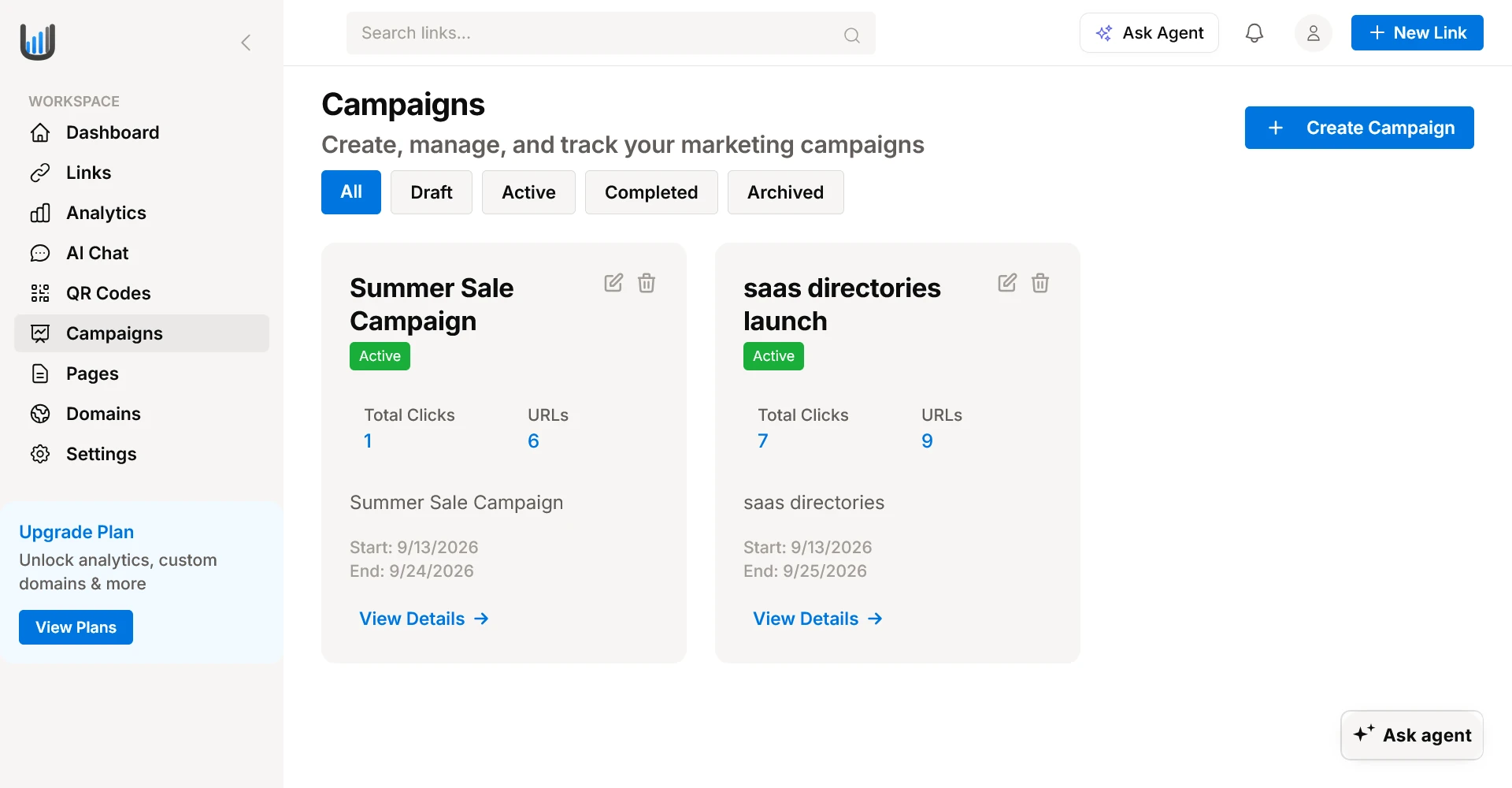
Built for Real Multi-Channel Campaigns
Organize, monitor, and measure every link initiative with unified telemetry and zero manual tallying.
Group links into a campaign
Combine dozens or hundreds of short links under a single named campaign to see true aggregate performance.
5-way breakdown
Overview, Devices, Channels, Geography, and Browsers in one place—uncover exactly how your audience engages.
Campaign lifecycle
Manage campaigns through Draft, Active, Completed, and Archived stages with custom date ranges and automated status tracking.
Export anytime
Export full campaign telemetry and raw link datasets in CSV format for client reporting and internal BI dashboards.
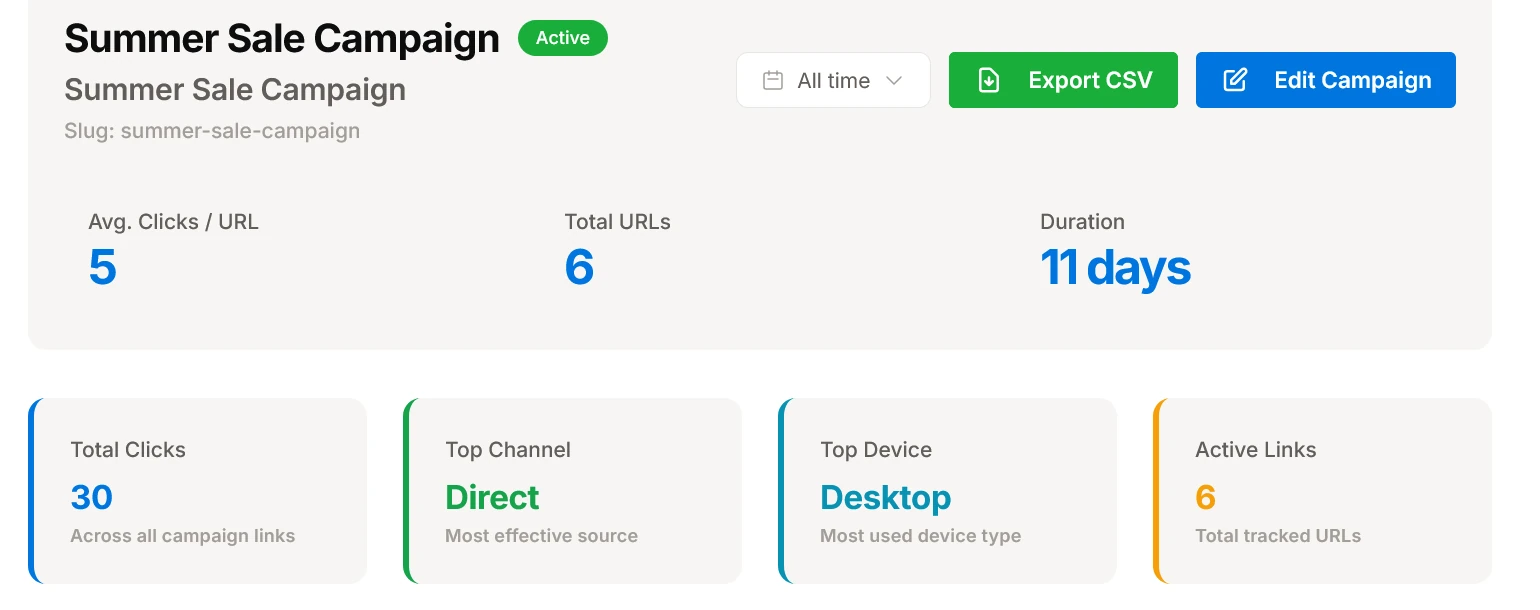
Every key number, before you open a single tab
Average clicks per URL, total tracked links, campaign duration, top channel, and top device — all visible the moment you open a campaign.
- Summary telemetry row: average clicks per link, total URLs, and campaign duration
- Auto-detected top performance indicators: highest converting channel and dominant device
- Flexible date range filtering with instant one-click CSV report export
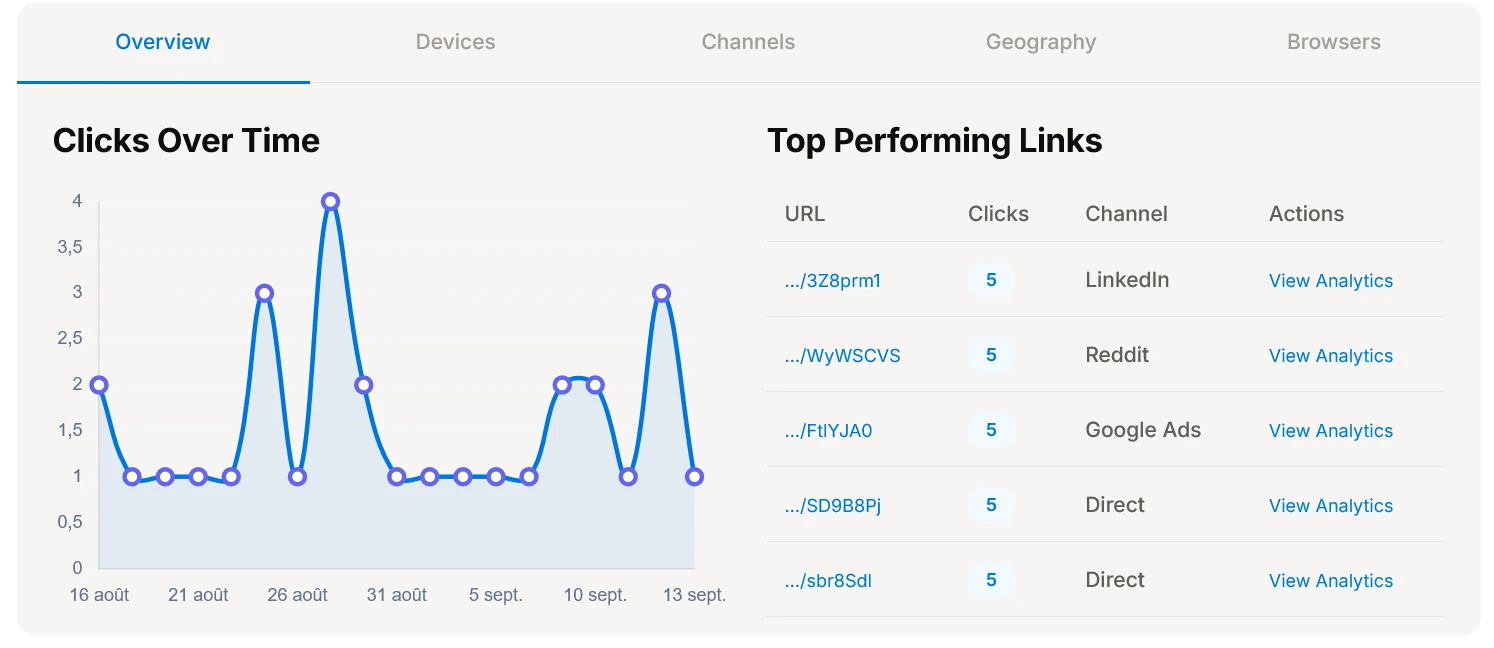
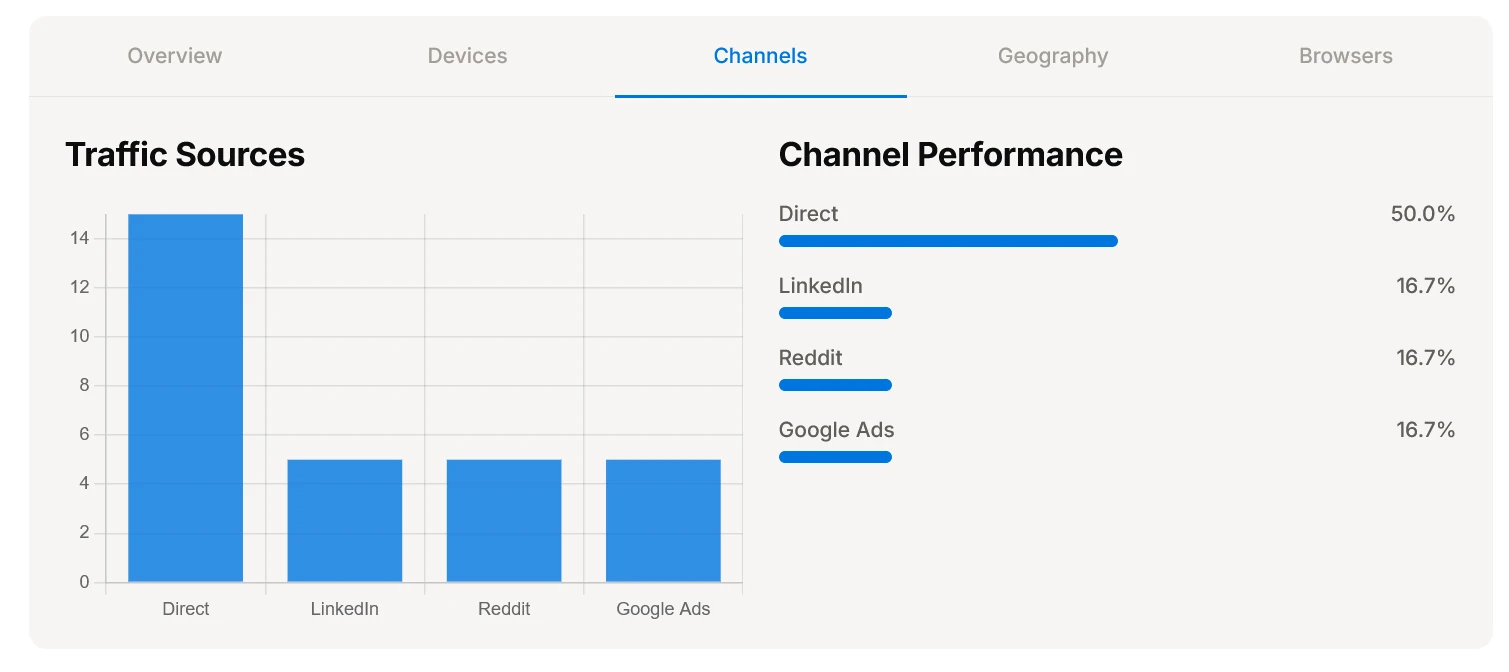
Devices, channels, geography, browsers — without leaving the page
Switch tabs to see the same campaign from a different angle: which channel drove clicks, which countries responded, which browsers and devices your audience used.
- Channel performance ranking with share-of-clicks comparison
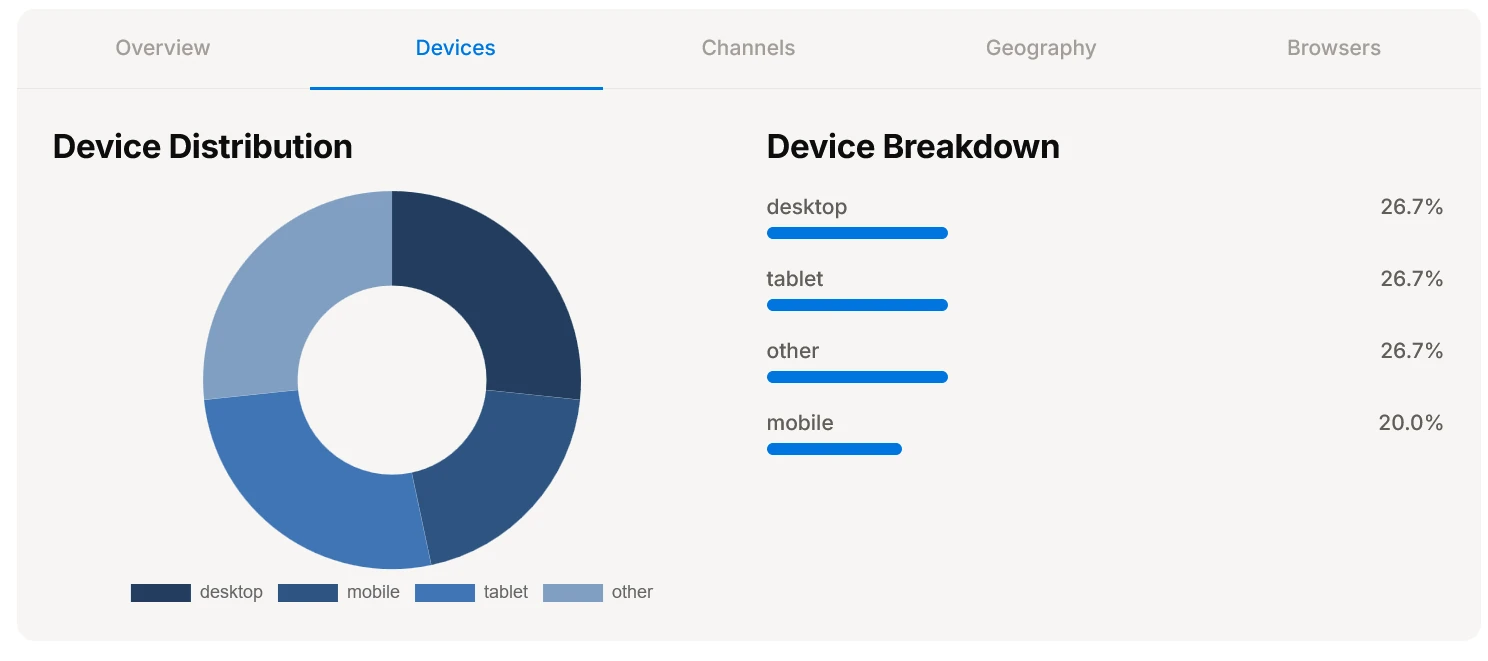
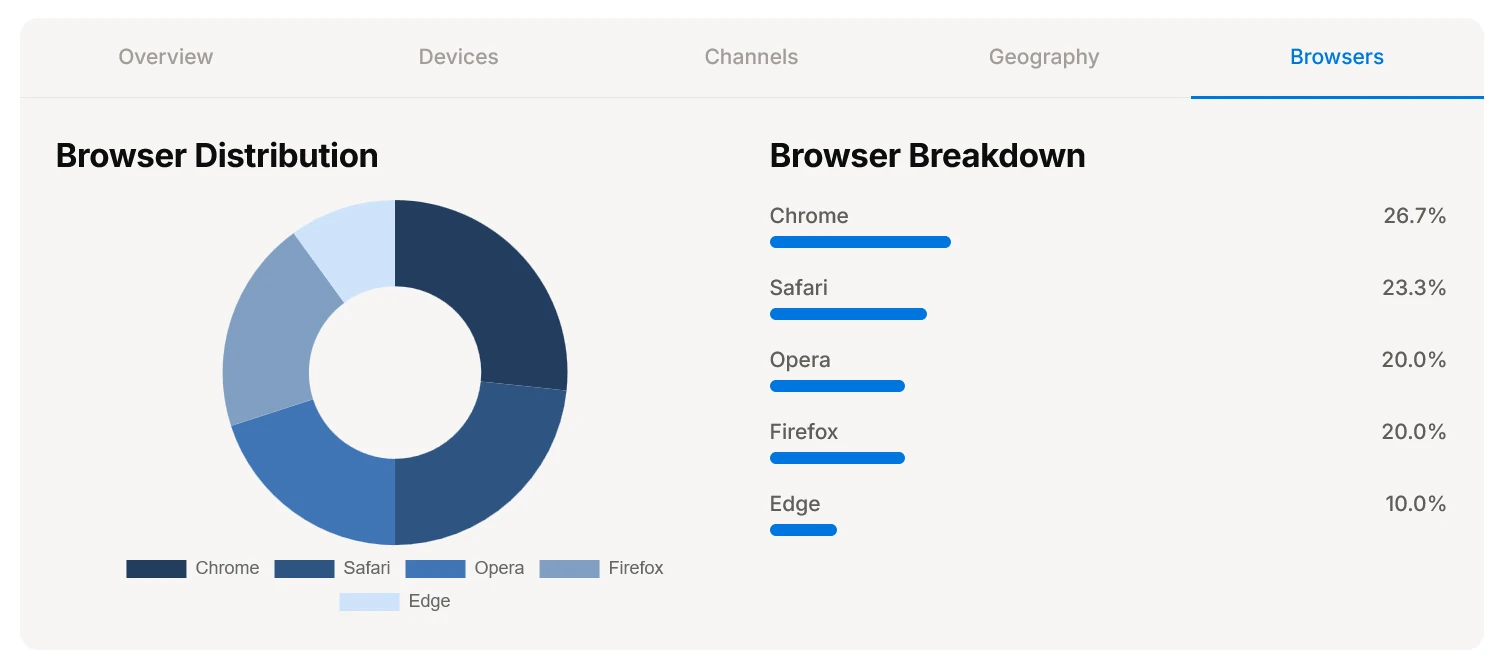
- Device and browser distribution across mobile, desktop, and tablet
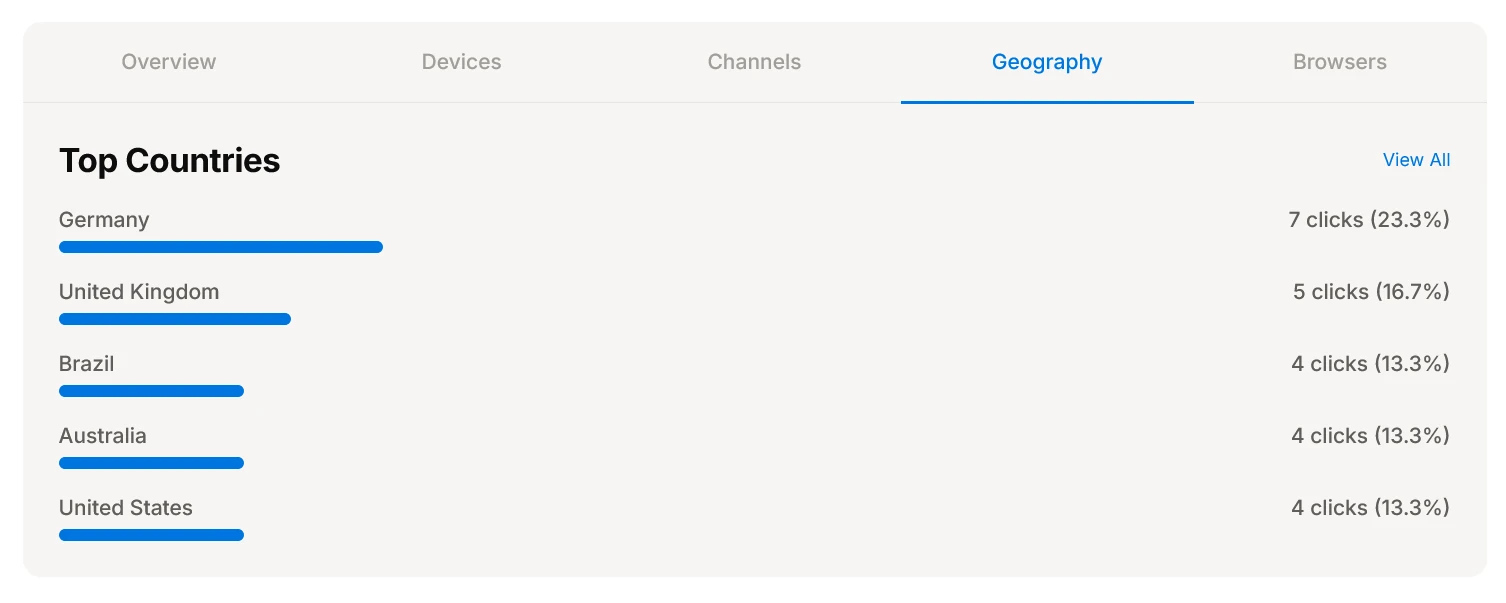
- Top countries ranked by volume with localized regional breakdown
See exactly who responded, and from where
Top countries ranked by clicks, plus a device and browser breakdown — so you know whether a campaign is landing with a mobile audience in one region or a desktop audience everywhere.
- Top countries with exact click share percentages and localized volume
- Device distribution separating mobile, desktop, and tablet engagement
- Browser distribution highlighting Chrome, Safari, Edge, and Firefox traffic
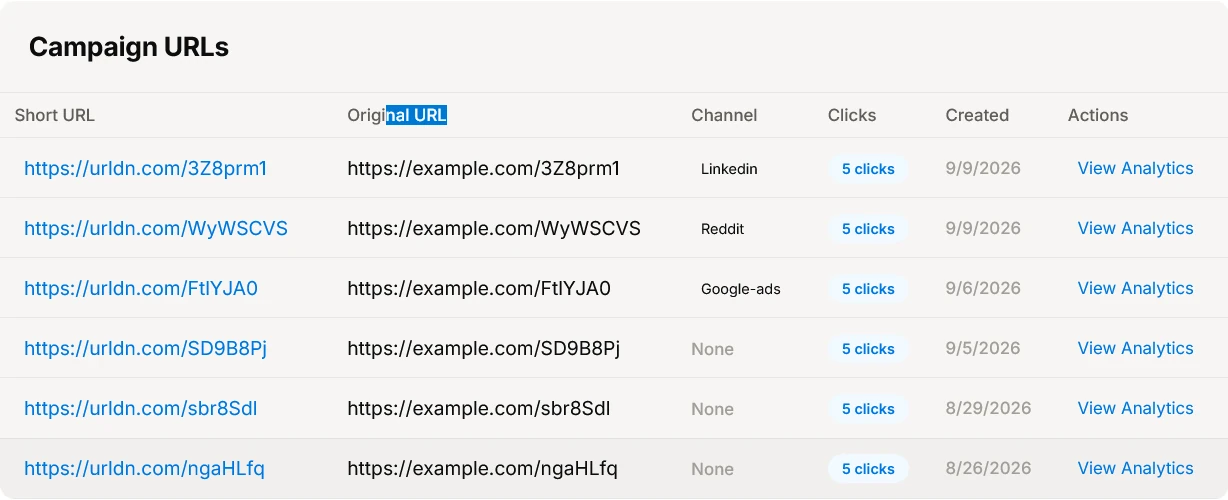
Every link, accounted for. no manual tallying.
Each short link in the campaign — its channel, its clicks, when it was created — in one exportable table.
Frequently asked questions about campaigns.
Looking for individual short link features? Explore link management or real-time click analytics.
You can assign any short link to a campaign directly during link creation or move an existing link at any time from the link's settings panel. No complex UTM tagging or manual spreadsheet tracking is required.
A tag is a simple label used for grouping and filtering links in your dashboard. A campaign is a dedicated, tracked container with its own lifecycle dates, status states (Draft, Active, Completed, Archived), aggregated telemetry, and a 5-tab performance dashboard (Overview, Devices, Channels, Geography, Browsers).
Yes. With a single click on 'Export CSV' from the campaign detail header, you can download the full URL list, channel assignments, click counts, creation timestamps, and aggregated performance metrics for offline analysis and client reporting.
All your campaign data, link metrics, and analytics remain 100% intact and permanently viewable. Archiving simply moves the campaign out of your primary active list view to keep your workspace organized.
Yes. The Channels tab automatically aggregates and ranks every channel—such as Social, Email, Paid Search, and Influencer—by its exact share of total clicks, helping you identify which channels drove real engagement.
Launch your next campaign with one dashboard to check.
Group links, monitor performance across channels and devices in real time, and eliminate messy spreadsheets forever.
Start for free